
Link Manager Pro vs PrettyLinks comparison
Affiliate marketers and WordPress users need reliable link management tools to cloak, track, and organize their URLs. Both Link Manager Pro and PrettyLinks offer these capabilities, but they take different approaches to link management.
And link management is beyond organizing the links of your website. With a powerful tool like Link Manager Pro, you can prettify long, ugly URLs, track performance, and monitor 404 errors.
Today, we’re going to compare side by side two of the most powerful WordPress link manager plugins. While one is relatively new with modern UI and advanced features
This comparison breaks down their features, pricing, and usability to help you choose the right tool.
A short introduction
Before going further, I’d like to talk about the two products. I want to briefly describe what they are and how they stand against each other in a quick overview.
PrettyLinks
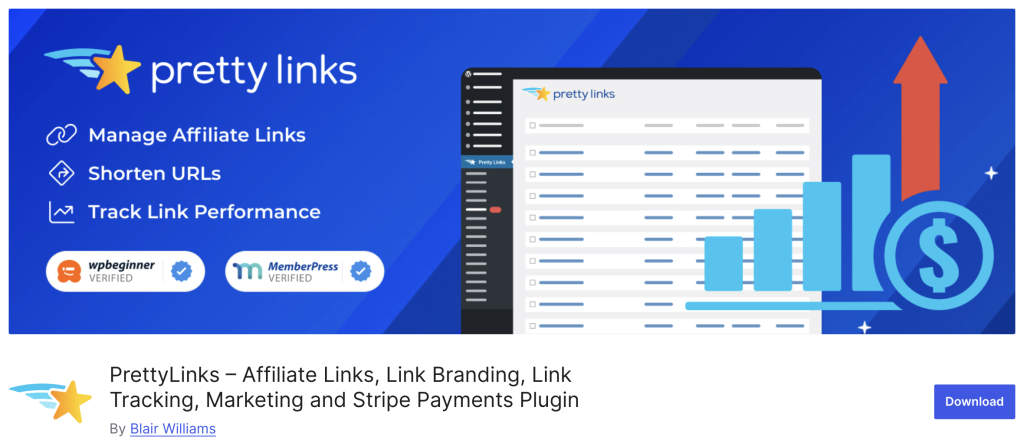
PrettyLinks is the leading tool on this particular niche that helps you create clean, branded shortlinks for your affiliate URLs and marketing campaigns. The plugin cloaks long affiliate links, tracks clicks, and provides detailed analytics so you
can see which links perform best.
You get features like automatic keyword linking, A/B testing for different offers, QR code generation, and retargeting pixels—all from a centralized dashboard. PrettyLinks offers a free version for basic needs and paid plans starting around $99-200 per year for advanced features like social sharing tools and conversion tracking.
Link Manager Pro
Link Manager Pro is a WordPress plugin that centralizes all your outbound and
affiliate link management in one place. The plugin cloaks affiliate URLs to
protect your commissions, tracks click performance, and automatically monitors
broken links across your site.
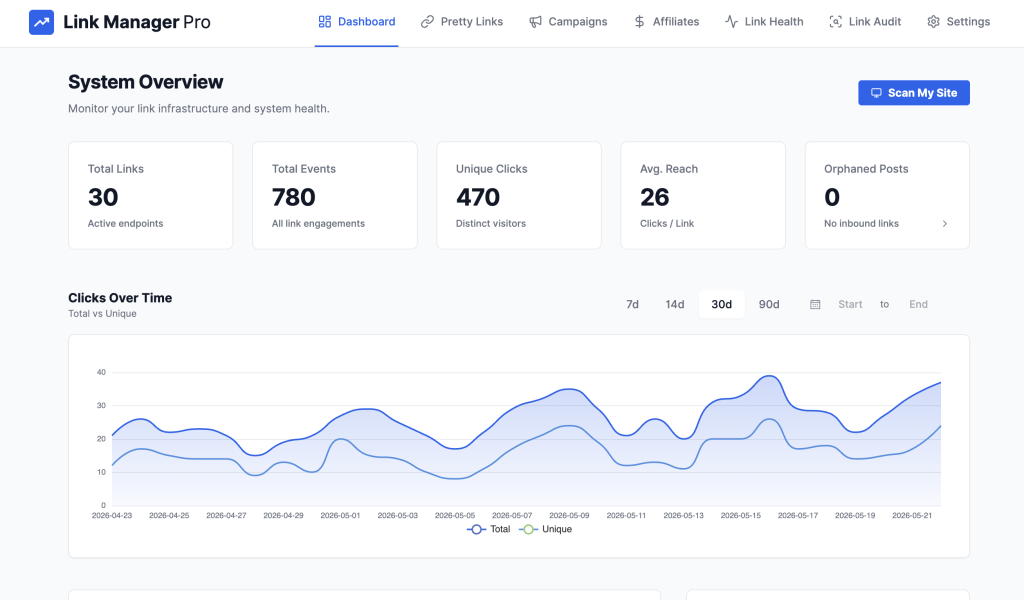
Key features include keyword auto-linking that converts product mentions into tracked links, bulk link management for updating multiple links at once, and detailed analytics showing which content drives the most clicks. Link Manager Pro costs $149 as a one-time lifetime payment (launch-only offer) for three websites—no recurring subscription fees.
Core features comparison
Both plugins handle the essentials well. You get link cloaking, URL shortening, and click tracking with either choice. The differences show up in execution and extras. You can take a look at the comparison table of PrettyLinks vs Link Manager Pro.
If we look at the shared capabilities of both plugins, they’re capable of doing great things for link management. For example, link cloaking to hide affiliate URLs is available on both.
Custom slug creation for clean links, basic click tracking and reporting, and link organization with categories are also common features.
You can also find multiple redirect types, link attributes, tags and categories.
Where PrettyLinks stands out
PrettyLinks has its own merits since it started with the link shortening idea. It has been popular in the affiliate marketing industry to cloak links and redirecting easily.
Over the years, it has been grown and brought new ideas into the market. They allow you to create a single page where you keep your top performing links. And, customers can easily purchase anything from your site with PrettyPay.
- Link in Bio page within your WordPress site
- PrettyPay to sell digital products
- Link expiration dates for temporary campaigns
- Social sharing counters on links
Where Link Manager Pro shines
If you want to ) simply the best. It’s new, it’s refreshing, and it’s the tool that help you gain more with less hassle.
With multiple endpoints, it allows you to check your links (for example, link audit, site health, etc.) The granular details of each link or instant fixing possibilities for a 404 error will keep your site secure while giving you more strength to power up on search rankings.
- Broken link monitoring to catch dead URLs
- Simpler dashboard with less clutter
- Faster setup process for new users
- Lightweight performance on your site
PrettyLinks has been in the market for years, so it has become marketers’ go-to tool for link shortening. While the top features are locked in pro version, still you can use it for basic affiliate cloaking and redirecting.
Link Manager Pro wins on simplicity. You get what you need without navigating complex menus or overwhelming reports. The broken link monitor catches issues that PrettyLinks might miss until manual checks.
Advanced features and integrations
The premium features separate serious marketers from casual users. PrettyLinks packs more functionality here, especially at higher tiers.
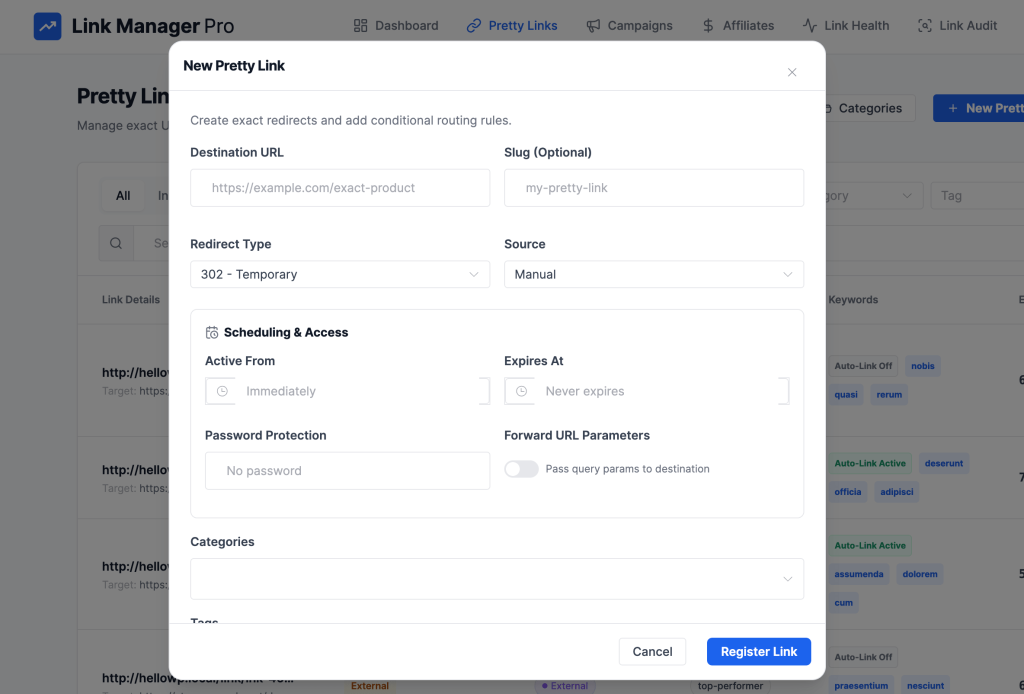
PrettyLinks Pro adds:
- A/B testing for link variations
- QR code generation for offline marketing
- Retargeting pixels on your links (Facebook, Google)
- Stripe integration for selling through links
- Social media deep linking
- Link expiration and scheduling
Link Manager Pro focuses on:
- Site-wide auto-masking engine
- Internal link audit
- Geolocation tracking
- Simple conversion tracking
- UTM campaign builder
- Smart internal linking suggestion
- Mask internal links
- Email summaries on link health
- Internal link tracking
Although you don’t need all of that for link management, PrettyLinks connects with many apps and plugins. Most of them are products from Awesome Motive (since PrettyLinks has been acquired by that company).
However, you may find some tools useful while I’m being skeptical about their far connection with link management. Tools like Uncanny Automator or Stripe may help you in some cases.
On the other hand, Link Manager Pro keeps things self-contained with fewer external connections.
PrettyLinks has a social sharing option. With that your users can share your posts or pages through social media.
Link Manager Pro handles the technical redirect types better. If you need specific redirect codes for SEO or migration purposes, it offers more control. The internal linking feature also gives you power to turn sites into a better SEO-focused.
You can also migrate from other link management plugins (i.e.: PrettyLinks and BetterLinks) easily.
Ease of use and interface
Your daily workflow depends on how the plugin feels in hand. Both work well, but they suit different user styles.
PrettyLinks interface:
- Dashboard with graphs and visual reports
- More clicks to reach basic functions
- Steeper learning curve for advanced features
- Mobile-friendly design
Link Manager Pro interface:
- Clean, minimalist dashboard
- Quick access to core features
- Faster setup for beginners
- Straightforward link creation
The setup process tells the story. PrettyLinks takes longer to configure properly. You’ll need time to explore all the options and understand the analytics. Link Manager Pro gets you running in minutes with guided setup.
Link organization differs too. PrettyLinks offers more filtering and sorting options, which helps with large link libraries. Link Manager Pro uses a simpler tagging system that works better for smaller collections.
If you spend hours daily managing links, PrettyLinks gives you more power at the cost of complexity. Casual users or those managing under 100 links will prefer Link Manager Pro’s streamlined approach.
Performance and support
Speed matters for your site, and support matters when things break. Both plugins perform well, but they have different trade-offs.
PrettyLinks:
- Larger plugin size affects load time slightly
- Extensive documentation and video tutorials
- Active community forums
- Responsive email support for Pro users
- Regular updates with new features
Link Manager Pro:
- Lightweight code, minimal speed impact
- Basic documentation with setup guides
- Direct support through official channels
- Updates focused on stability over new features
The performance difference shows on data-driven sites. PrettyLinks adds database queries for detailed tracking, which can slow down high-traffic sites. Link Manager Pro runs lighter but sacrifices some analytics depth.
Support quality varies by user. PrettyLinks has more resources to solve problems yourself, but response times can lag for lower-tier plans. Link Manager Pro provides more direct support but fewer self-help options.
Both plugins update regularly to stay compatible with WordPress changes. PrettyLinks pushes updates more often, adding new features. Link Manager Pro updates focus on bug fixes and compatibility.
Pricing and plans
Your budget plays a major role when choosing between these plugins. The pricing models work differently, so understanding the structure helps you decide what fits your wallet.
PrettyLinks starts with a free version on WordPress.org. The upgrade path splits into three tiers:
| Plan | Price | Sites |
|---|---|---|
| Marketer | $99-150/year | 2 sites |
| Super Affiliate | ~$200/year | More sites |
| Ultimate | Higher tier | Multiple sites |
The Marketer plan handles most affiliate needs with link cloaking, tracking, and basic analytics. Higher tiers unlock advanced features like A/B testing and automatic keyword linking.
Link Manager Pro skips the free tier entirely. You buy a single premium license with all features included. Pricing typically runs lower than PrettyLinks’ entry plan, though exact rates vary based on current promotions and site licenses.
The key difference lies in how you start. PrettyLinks lets you test for free, then scale up as your needs grow. Link Manager Pro requires upfront commitment but gives you everything from day one without tiered decisions.
Both plugins occasionally run lifetime deals. Watch for holiday sales or anniversary promotions if you prefer paying once over annual subscriptions.
Who wins finally?
Although PrettyLinks is a years-old product with so much reputation, it fails to meet the modern-day requirements. Once a industry leader (the pioneer of the term and niche) now falls miles behind because of no innovative approach.
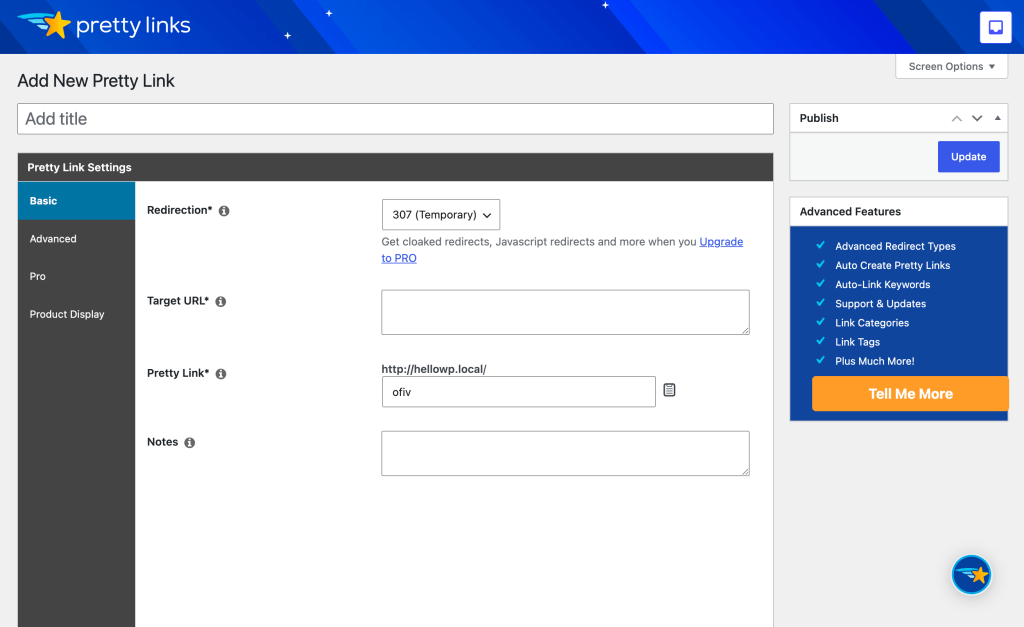
The free version has some basic features. All the advanced features are locked behind the paywall. If you enter the plugin, it feels archaic. Not only the interface, you’ll experience hard time finding the exact thing you’re looking for.
Another point I must mention is the feature overload. While the interface feels messy, you’ll discover that there are many features that you don’t need. The most unnecessary part is the “integrations burden.”
Coming to the Link Manager Pro, you’ll get a refreshing look that’s inspiring with a helpful user experience. It has tons of features and those are relevant to links unlike PrettyLinks.
Using Link Manager Pro for your business means you’re safeguarding your website, prettifying long URLs, earning more reputation, and checking on growth.